
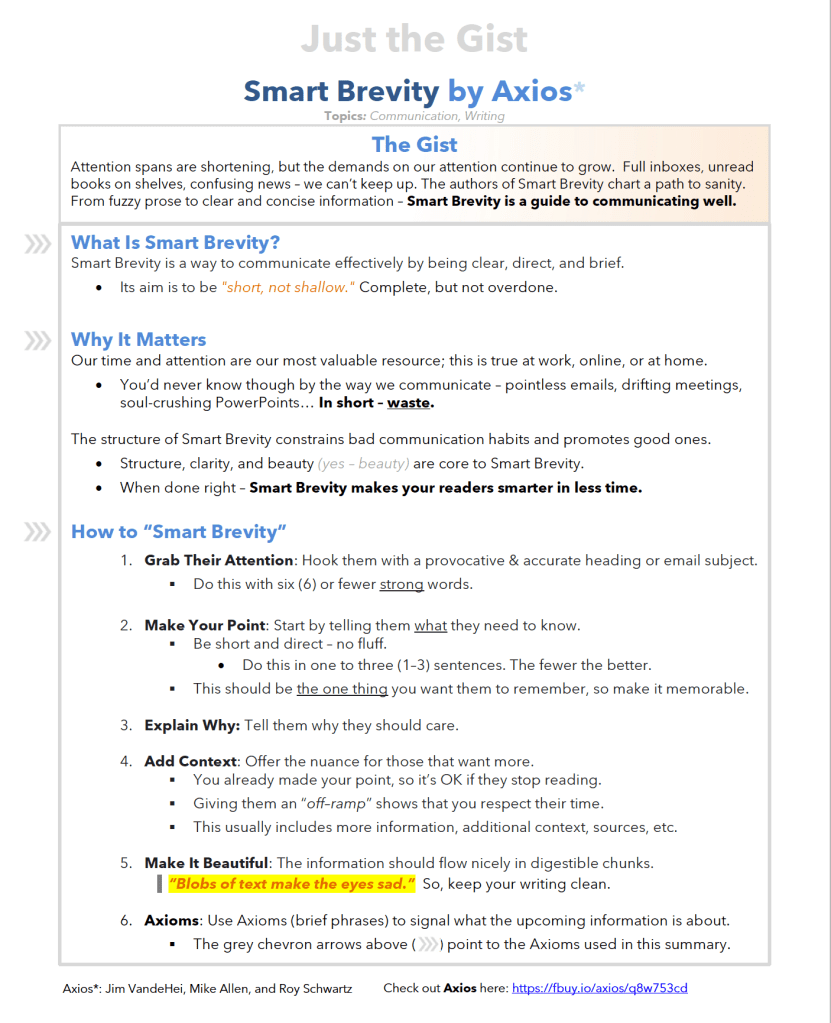
The Gist
Attention spans are shortening, but the demands on our attention continue to grow. Full inboxes, unread books on shelves, confusing news – we can’t keep up. The authors of Smart Brevity chart a path to sanity. From fuzzy prose to clear and concise information – Smart Brevity is a guide to communicating well.
Highlights
What Is Smart Brevity?
Smart Brevity is a way to communicate effectively by being clear, direct, and brief.
- Its aim is to be “short, not shallow.”Complete, but not overdone.
Why It Matters
Our time and attention are our most valuable resource; this is true at work, online, or at home.
- You’d never know though by the way we communicate – pointless emails, drifting meetings, soul-crushing PowerPoints… In short – waste.
The structure of Smart Brevity constrains bad communication habits and promotes good ones.
- Structure, clarity, and beauty (yes – beauty) are core to Smart Brevity.
- When done right – Smart Brevity makes your readers smarter in less time.
How to “Smart Brevity”
- Grab Their Attention: Hook them with a provocative & accurate heading or email subject.
- Do this with six (6) or fewer strong words.
- Make Your Point: Start by telling them what they need to know.
- Be short and direct – no fluff.
- Do this in one to three (1–3) sentences. The fewer the better.
- This should be the one thing you want them to remember, so make it memorable.
- Be short and direct – no fluff.
- Explain Why: Tell them why they should care.
- Add Context: Offer the nuance for those that want more.
- You already made your point, so it’s OK if they stop reading.
- Giving them an “off–ramp” shows that you respect their time.
- This usually includes more information, additional context, sources, etc.
- You already made your point, so it’s OK if they stop reading.
- Make It Beautiful: The information should flow nicely in digestible chunks.
“Blobs of text make the eyes sad.” So, keep your writing clean.
- Axioms: Use Axioms (brief phrases) to signal what the upcoming information is about.
Full Notes
Introduction – The Fog of Words
Summary: We’re drowning in a sea of words in our modern world; we simply can’t stay afloat.
- Phones and social media accentuate our distractibility.
- Our attention spans are shorter than ever.
- We spend over half our time communicating at work, and yet don’t practice the art of communicating well.
- Words matter, but we don’t act like it.
- Emails go unread. Presentations fall on deaf ears.
- We talk and tweet, but no one is listening.
“Smart Brevity” is a communication approach that aims to fix this problem.
2) Studies show that we only spend 26 seconds (on average) reading a piece of content before moving on.
“One–third of work emails that require attention go unread.”
4) It takes most people more than 20 minutes to refocus after a distraction interrupts their work.
- If you want to meaningfully connect with others, you need to respect their time. And you respect their time by communicating clearly and succinctly.
5) Today – we have less time, but we churn out more and more words, worsening the problem.
“I didn’t have time to write a short letter, so I wrote you a long one.” – Mark Twain
- Brevity, not length, is a marker of good communication. This is true if quality is not sacrificed for the sake of brevity. That’s where the “Smart” part comes in…
- Smart Brevity = communication that is complete, clear, and concise.
- Smart Brevity is a skill that can be learned through study and practice.
- Smart Brevity = communication that is complete, clear, and concise.
5) We were taught in school that length is a proxy for quality work and understanding – WRONG!
- We were given writing assignments with MINIMUM word or page counts!
- This approach has failed us; we’re overwhelmed with words that only confuse us.
Part 1: What Is Smart Brevity?
Ch. 1 – Short, Not Shallow
Summary: Everyone is busy; attention spans are short. We need to say more with less words.
- Brevity helps us capture attention and keep it long enough to make your point.
- “Short, not shallow.” That is a key principle of Smart Brevity.
Related: “Everything should be made as simple as possible, but no simpler.” – Albert Einstein
- Don’t lose the essence of the message for the sake of simplicity.
In the words of Kevin Malone – “Why waste time say lot word when few word do trick?”
- If no none is listening to you (and they usually aren’t), you’re wasting your words.
- There are two parts to communication: message sent, and message received.
- Send better messages so they can be received better.
- There are two parts to communication: message sent, and message received.
- Learning to communicate well with Smart Brevity can help anyone sell more, lead stronger, and be better understood.
“Brevity is confidence. Length is fear.” (12)
- People hide in long, confusing prose.
- Direct communication requires you to be confident in your message.
13) Clear messaging leads to better understanding and memory.
16) Most people scan and skip around while reading.
- Keep that in mind when writing… They’re busy and distractable.
- You need to communicate differently to keep their attention.
Ch. 2 – Smart Brevity, Explained
Summary: Smart Brevity is like jazz. There are principles to follow, but still freedom to “play”.
- The goal is to provide information directly and clearly – without fluff.
The Principles of Smart Brevity
- Grab Their Attention: Hook them with a provocative (yet accurate) heading or email subject.
- Do this with six (6) or fewer strong words.
- Strong words are usually short and clear.
- Do this with six (6) or fewer strong words.
Related: “Write with nouns and verbs, not with adjectives and adverbs.” – William Strunk
- Make Your Point: Start by telling them what they need to know.
- Be short and direct – no fluff.
- Do this in one to three (1–3) sentences. The fewer the better.
- This should be the one thing you want them to remember, so make it memorable.
- Be short and direct – no fluff.
- Explain Why: Tell them why they should care.
- Add Context: Offer the nuance for those that want more.
- You already made your point, so it’s OK if they stop reading.
- Giving them an “off–ramp” shows that you respect their time.
- This usually includes more information, additional context, sources, etc.
- Make It Beautiful; the information should flow nicely in digestible chunks.
“Blobs of text make the eyes sad.” So, keep your writing clean.
- Axioms: Use Axioms (brief phrases) to signal what the upcoming information is about.
- The bolded “headings” above point to the Axioms used in this summary.
- Axioms are like road signs, signaling what information is coming next.
21) Use a must–read fact or quote to hook your reader.
- Make them want to continue reading.
- End each sentence with words that are visual, stir emotion, or intrigue.
- BAD: “He was still dead, no matter how long she stared at him.”
- GOOD: “No matter how long she stared at him, he was still dead.”
“Most people are lousy writers and fuzzy thinkers.” (22)
22) Using the structure of Smart Brevity constrains bad communication habits.
Ch. 3 – The Road to Smart Brevity
Summary: The authors had experience in media before starting Axios on a new philosophy.
- They left Time and the Washington Post to start the news organization Politico.
- Politico was successful, but they soon realized (thanks to “humbling” data) that no one was actually reading their long–winded stories.
- They then started a new news organization (Axios) centered around Smart Brevity.
- Axios gives readers what they want: noiseless news that is accurate, to the point, clean, and clear.
37) The authors tell a story demonstrating the importance of making your point quickly…
- A reporter at Bloomberg was covering Senator Harry Reid’s retirement and Nick Johnson told the reporter: “I don’t care what the fifth word of the story is, as long as the first four are ‘Reid Won’t Seek Re–election.’ “
- That’s a headline that tells you what you need to know, but also draws in the reader to dig deeper on the topic if they care about the topic.
37) Good mantra to keep in mind: “Have the courage to take your hands off the keyboard.”
38) Smart Brevity is about communicating to save people time.
- Spend your time to refine your email or blog; people will notice and reward you for it.
40) When looking into the data, the authors quickly realized that even “politicians and CEOs only read the headline and a few paragraphs of most stories.”
Ch. 4 – Audience First
Summary: Don’t focus on what you want to say; focus on what the audience needs to hear.
- Make your point clearly, then stop.
- Saying too much often takes away from the point you’re trying to convey.
“All you can do is the next right thing.” (45)
- Helpful advice when contending with a seemingly impossible situation.
- Don’t worry about the finish line; just take the next step.
Related: “The journey of a thousand miles begins with a single step.” – Lao Tzu
“Vigorous writing is concise. A sentence should contain no unnecessary words, a paragraph no unnecessary sentences, for the same reason a drawing should have no unnecessary lines and a machine no unnecessary parts.” – William Strunk (45)
46) Test yourself: have someone read what you’ve written and ask them to tell you the main point(s) you meant to communicate.
- You can also see your Smart Brevity “score” at https://try.smartbrevity.com/
“We hide the good stuff in piles of words.” (45)
48) It takes courage to be direct.
“Cowards hide in clauses.”
“Very few people have the confidence to be direct.”
50) We use words to hide our insecurities or our lack of understanding.
52) Think first, then type.
- What is your one–sentence summary? You need to know it so others can too…
- Another approach: Write, then re–write.
- Writing helps us clarify our thinking, so it’s often more productive to start with a “bad” draft, and then clean it up from there.
- Understanding that you’re only working on a draft takes the pressure off writing.
- Our mindset for creating versus editing are very different, so separate the two tasks.
- Don’t edit when you’re creating a draft.
“If you don’t know exactly what you’re trying to convey, the reader has zero chance of understanding it.”
53) Think about your audience and your one point. Write your point down concisely, try to shorten it, and then stop. It’s that simple.
Part 2: How to Do It
Ch. 5 – Be Worthy
Summary: Your reader’s time is valuable, so make your message worthy of it.
- You have about 100 words (~30 seconds) to make your point, as most people won’t give you more time than that.
- Say what you need to say right away.
- Save them time by cutting out fluff, being clear, and direct.
- People appreciate it when their time isn’t wasted; conversely, they’ll be annoyed if you go on longer than needed.
- Leave them with one point to remember, two to three at most.
“Most people scan most content most of the time.” (58)
- Communicate differently so your message is received.
61) Common “kick outs” (anything that loses the reader):
- Too much text
- Too much jargon
- Too many choices
- Long videos
- Insulting or offending the reader
61) Write your draft, then edit. Distill down what you originally wrote.
“Make the first two to three sentences say all of what you wrote below. It’s often the only part that gets read.” – Chris Sacca
62) Smart Brevity Tips
- List your key point(s).
- Shorten your list to one, maybe two.
- Ask yourself: What is essential, and what can be eliminated?
- Remember: “Less” is a gift.
- A gift of clarity.
- A gift of time saved.
- A gift of emphasis on what’s most important.
- Smart Brevity makes the most of their time and attention.
Ch. 6 – Grab Me!
Summary: Your headline must seduce! Draw them in; tease them.
- It won’t matter how good your article or email is if no one is enticed to open it.
- Be as provocative as possible while remaining truthful.
- There is a continual game of tug-of-war going on for our attention, so you must put in effort to pull them to what you’ve written.
- That goes for company emails, newsletters, tweets – anything written.
- Be brief with headings or email subject lines, 6 words is optimal.
- Grammar isn’t the top priority. It’s OK to break some rules…
67) Name dropping an important topic, person, or brand in your heading strengthens your allure.
- Buffet, for businesspeople
- Nike, for sports
- Musk, for entrepreneurs
- Trump, for politics
“Write – then go back and kill at least half the words. It winds up sharper every time.” (67)
68) Smart Brevity Tips
- Use few words for headlines and subject lines, 6 tops.
- Don’t use jargon. Be clear.
- Be provocative, yet accurate.
- Use short words; they’re strong.
- Generally – “a one-syllable word is stronger than a two-syllable word is stronger than a three-syllable word.”
- Always use active verbs.
- Active Voice: when the subject of the sentence performs the action of the verb.
- “I sent the email.”
- Passive Voice: when the subject is the recipient of an action.
- “The email was sent by me.”
- Active Voice: when the subject of the sentence performs the action of the verb.
- Re–read it to yourself aloud. Make sure it sounds enticing to you.
70) Your hook is critical. Failure to hook your reader with a good teaser is like packaging a diamond ring in a garbage bag. Who would bother to open it to see what’s inside?
Ch. 7 – ONE Big Thing
Summary: After your “hook”, you need to convey the one thing you want them to remember.
This “lede” should be one or two sentences. Keep it brief; keep it clear.
- Think: what’s the point of this update? What do they need to know?
- Imagine you’re on the elevator with someone and you have no extra time… how would you briefly communicate the valuable information they need to know?
“Most busy people remember only snippets.” (74)
77) When writing an update, imagine you’re talking to them on the elevator with no spare time. What would you say to make your point in 15 seconds?
- The answer to that question is your opening sentence.
- Be careful not to copy your tease verbatim.
78) Don’t dance around the topic with long-winded introductions and caveats. Get to the point.
Ch. 8 – Why It Matters
Summary: You hooked them with your headline and made your point clearly – now add context.
- Use an axiom to guide their thinking and signal additional information.
- An axiom, bold and enlarged, helps the reader stay focused.
- Axioms give context to what’s they’re about to read.
- Telling your reader WHAT (your main point) is great but tell them WHY they should care.
82) Example Axioms:
- By The Numbers
- The Context
- What’s Happening
- Why It Matters
- What’s Changing
- Why the Change?
- Next Steps
- New Expectations
84) Axios is Greek for “worthy.” This worthiness (of time, trust, and attention) is the goal of the company Axios.
87) Does your headline, lede, and axiom succinctly communicate what is needed? That’s the goal.
Ch. 9 – Go Deeper
Summary: You’ve made your point and given context, now give them a chance to explore the topic in more depth.
- The axiom “Go Deeper” is a clear way to signal – “there more to the story here if you’re interested, but you may bow out now if you choose.”
- Providing sources of information is a good practice in the “Go Deeper” section of your communication.
- Providing optional depth is a nice way to save them time (if they choose to take the mental off-ramp), while keeping the nuance in the conversation for those that want more.
- Give them the opportunity to go down the rabbit hole if they want.
90) Do the work to communicate well so it’s easy for them to understand the message.
92) Use bullet points often; they break up the monotony of text, which helps us consume important points easier.
94) Smart Brevity is about the distillation and prioritization of information.
Ch. 10 – The Right Word
Summary: Choose your words carefully.
- Use the simplest word possible – the less syllables the better.
- Shorter words are usually better.
- Choose words that pop, that are real, not vague.
- Don’t use a word that you wouldn’t use in a bar.
- Using academic words makes you sound like an ass; it confuses the audience.
- Use active verbs – someone doing something.
- Write linearly: subject, verb, object.
- Ex: “The President (subject) fired (verb) his Chief of Staff (object).”
- Don’t tell someone about a story; tell them a story.
- Related: My high school English teacher used to always say – “Show, don’t tell.”
- Writers don’t tell readers that someone was angry, they show it through the actions, thoughts, or words of their characters.
- Related: My high school English teacher used to always say – “Show, don’t tell.”
“The difference between the almost right word and the right word… ’tis the difference between the lightning bug and the lightning.” – Mark Twain (98)
Ch. 11 – Emojis
Summary: Emojis can be used to set tone or grab attention.
- Use them sparingly, yet strategically.
- An alarm emoji can help open rates on email or grab attention on social media.

Part 3: Smart Brevity in Action
Ch. 12 – Mike’s Playbook
Summary: At Politico, Mike’s daily newsletters became what “the White House woke up to.”
- These started as internal communications detailing current news and the most important story leads for their team.
- DC staffers discovered his internal updates at Politico and asked to be included. It took off from there.
- When starting Axios, they realized his newsletters were too long; they didn’t consider the limited time and attention of the modern reader.
- To adjust – they imposed discipline and rules to his writing.
- Readers responded well, because his newsletters were clear and quick to tell readers what was most important.
118) As the writer, you know (or should know) the topic best. Pick and prioritize the most important information so your reader doesn’t have to discover it themselves.
- You save them the energy and time.
- Don’t force your audience to read more than necessary.
Ch. 13 – The Art of the Newsletter
Summary: Newsletters are efficient ways to communicate important information to an audience. This could be for business or for your small team at work.
- They help you keep your team up to date with what matters.
- Newsletters also stand out in the sea of emails.
- No one wants to be the one team member that didn’t read the newsletter.
123) What if we all communicated exclusively in bullet points? Would we be better or worse off?
124) Newsletter Essentials:
- Give it a title (1–3 words).
- Your newsletter should have a preset number of points it will hit on.
- Ex: Tim Ferris’s “5–Bullet Friday” or James Clear’s “3-2-1” newsletter.
- Below the title – state the length in time, words, or both.
- A good average reading speed is around 250 WPM.
- Start with your 1 BIG point (in large or bold font).
- Provide supporting information.
- No word salad. Make your points clear.
- Keep it to less than 200 words/topic; you lose people beyond that.
- Add your next big point. Number them as you go.
- Provide supporting information (step 4).
- Repeat until your list is complete.
- End with something funny. Think: “1 smile to go.”
General Tips:
- Grab their attention. Include a relevant picture, stat, or gif.
- Include visuals that support your point (when relevant).
- Keep it clean. Make sure it is visually appealing.
Ch. 14 – Be Heard @ Work
Summary: If you’re drowning in unread emails at work, then chances are, so are your peers.
Practice Smart Brevity and you’ll stand out from the noise.
- Coworkers will appreciate the clarity of your communication.
- It makes them smarter in less time.
- Apply Smart Brevity to your emails, presentations, and meetings.
- Use it to keep your team informed and engaged.
- Not only will your communications stand out, but you may be able to influence others to take up Smart Brevity, either directly or simply through imitating the “your” style.
131) Per a Gallup poll – “two things keep people feeling good about their job and staying put: close relationships with colleagues and engagement.”
- Smart Brevity can help keep your teams and employees engaged. Make them do as little work as necessary to keep them informed.
132) Consider doing a weekly or monthly newsletter to update your team on the most important information.
- Mondays and mornings are the best to get everyone on the same page.
- Mornings increase e–mail open rates.
- Think: “5 Things You Need to Know”
133) For presentations: start your presentation with your big idea (and end with it.)
- Tease your point (<6 word heading) and then make it.
- Add supporting bullets as needed.
- Keep your visuals clean, simple, and relevant.
“If you have more than 20 words on a slide, try again.”
134) Related: Smart Brevity is like the “BLUF” Method (“bottom line up front“) in the military.
Ch. 15 – Smart Brevity Your Email
Summary: We get too many emails, most of which are skimmed or ignored completely. We can do better using the principles of Smart Brevity.
- Smarty Brevity Email Structure
- Write a subject that is short, enticing, and relevant.
- Make your point in the first sentence.
- Add context (why it matters).
- Include graphics, if appropriate.
- Add next steps when needed.
- Use bullets to help skimmers consume the main points.
- Keep it brief, to the point, and clean (visually appealing).
- If it’s too long, it probably shouldn’t be an email.
“70 percent of employees want shorter communication at work.” (138)
Ch. 16 – Smart Brevity Your Meetings
Summary: Be more prepared for your meeting than you think is necessary.
- Related: “People under appreciate how much smarter you can seem with 20 minutes of preparation.” – Alex Hormozi
Before the Meeting
- Define the meeting objective (what decisions need made) and create the agenda.
- Send both out to attendees at least 24 hours in advance.
- Limit the people, topics, and meeting duration. Test out “micro-meetings” (5-10 minutes).
During the Meeting
- Start on time; this shows that you respect the attendees’ time.
- Start with the purpose, then add context (“the why”).
- Keep the meeting on topic and take good notes.
- Assigning someone to take notes for the meeting can be helpful.
- Engage everyone – especially those that are silent and speak least.
- Summarize the discussion and make decisions.
- Define next steps and assign action items (with deadlines).
After the Meeting
- Send out meeting notes summarizing the main takeaways, next steps, and action items.
“90% (of people) admit to daydreaming and 72% so other work while in meetings.” (148)
Ch. 17 – Smart Brevity Your Speeches
Summary: Thoroughly prepare your content and yourself.
- Have one main point to make; refine it so you know your one–liner clearly.
- Don’t drag it too long, but don’t be too short.
- Be respectful of your audience’s time.
- Be authentic. Don’t try to speak like someone else.
Speech Structure
- Open with a story, question, joke, or something to grab them.
- Describe the status quo.
- Clarify your purpose or make your point.
- Tell them “Why It Matters”
- Support your point with 3–5 points, facts, etc.
- Use a mix of data (objective) and anecdotes (subjective).
- Add contrast of how things could be different (given your point)
- Close with something memorable.
- Remind them of your ONE point.
- Make a call to action.
- Thank them for their time.
“If you’re lucky, they’ll remember one point from your remarks.” (158)
159) Your ONE point should be crystal clear.
“If you don’t know your one–sentence takeaway, there no chance your audience will either.”
160) Signal your main point by saying –“if there’s one thing you take from this presentation, it’s…”
162) TED Talks are “short enough to hold people’s attention, long enough to say something that matters.” – Chris Anderson (CEO of TED)
163) Pamela Meyer has a great opening to her TED Talk How to Spot a Liar – “I don’t want to alarm anybody in this room, but it’s just come to my attention that the person to your right is a liar.”
- Her TED Talk link here: https://www.youtube.com/watch?v=P_6vDLq64gE&t=658s
Ch. 18 – Smart Brevity Your Presentations
Summary: Be clear about WHY you’re presenting. What your point? What is the desired outcome? Build your presentation around that.
- Limit slides and limit the words on those slides.
- Simplify to exaggerate.
- Use visuals to help make your points; they help the audience retain the information.
- 12 slides should be enough. If not, you may have too much information.
- For PowerPoint, think minimalism.
168) Each slide should be like a billboard: “would someone racing by at 65 MPH get the point?”
168) Again – “Blobs of text make the eyes sad.”
“An arresting image can increase recall to 65 percent, compared to 10 percent if a person simply hears it.” – John Medina (Molecular Biologist) (168)
169) McKinsey PowerPoint approach: “For every 20 slides you want to put in your deck, use 2.”
Ch. 19 – Smart Brevity Your Social Media
Summary: Words without art are handicapped, as attention becomes more difficult to seize.
- The visuals matter in all social media arenas.
- Write cleanly and give your audience something worth their attention: a laugh, an interesting fact or stat, or a compelling idea. Don’t be vague.
- Give first without expecting anything in return. If your giving is appreciated, people will reward you with engagement.
- Use simple pictures or emojis to help make your point.
- Know your platform.
173) Social media forces us to be selective with our words. It’s good communication practice…
Ch. 20 – Smart Brevity Your Visuals
Summary: Be clean and clear with your visuals.
- Apply hierarchy to your visuals with contrast, scale, and positioning.
- Guide their eyes to what is most and least important respectively.
- Edit out what isn’t necessary – be ruthless.
- Again – think minimalism.
- Strive for “elegant efficiency.”
- Craft visuals with the audience in mind.
183) Building a good visual: Start with a strong idea. Match it with some visual representation of something iconic or relatable. Build the visual from there.
Ch. 21 – How to Run a Company on Smart Brevity
Summary: Smart Brevity helps keep your teams informed regularly and engaged.
- Communicate quality information that keeps them “in the know.”
- Be transparent and authentic.
- Newsletters are a great way to keep everyone informed – weekly or monthly.
- Clear communication improves email open and read rates, leading to more engaged and informed teams.
- Informed teams gossip less because there is less to gossip about.
“30 percent of project failures stem from crappy communication.” (189)
- Source: The Project Management Institute
190) Newsletters are a communication vehicle to share best practices, wins, lessons learned, and to encourage healthy competition (if used correctly).
- Keep newsletters under 1500 words (5 minutes).
“Everyone has visibility on what everyone’s up to.”
194) “Why” matters. Connect your communication back to your company’s mission.
“Your mission begins to sink in only when you’ve annoyed yourself with repetition.”
195) When others start to emulate your communication style, that’s when the magic begins.
Ch. 22 – Communicate Inclusively
Summary: Smart Brevity is an inclusive way to communicate.
- By writing clearly in plain language, you make it easy to understand for everyone.
- 20% of the population have a learning disability, such as dyslexia.
- English may be a second language for some team members.
- Bullet points help; they’re easy to digest.
- Smart Brevity helps reduce bias or propagating stereotypes.
- It keeps the information lean and does not include unnecessary details about individuals – such as race or physical ability.
“Offend me or confuse me and you’ve lost me.”
201) “One in five children report learning disabilities.”
- Source: National Center for Learning Disabilities
“Complexity confuses. Abstraction alienates. Length loses.” (202)
- Smart Brevity advocates for the opposite:
- Simplicity for clarity
- Practically for inclusivity, and
- Brevity to keep you engaged.
Ch. 23 – The Cheat Sheet
Principles
- Write from authority (know your stuff)
- Respect your readers’ time (be “short, not shallow”)
- Write like you speak; be human.
- Add style for clarity (bold, italics, etc.)
Questions to Ask
- Who is my audience?
- What do they need to know?
- Why is it important to them?
Smart Brevity Structure
- Headline: Keep it short (6 or fewer words), clear, specific, and conversational
- WHAT: Tell them at the beginning what they need to know in one sentence.
- This is the “one thing” that they should remember.
- WHY: Tell them why they should care, and read on…
- AXIOMS: Use these to give mental ques to set up the information that follows.
- Ex: SUMMARY, WHATS NEXT, THE DATA, THE BOTTOM LINE
- Add Context: Go deeper with more information for those interested.
Make sure the nuance and essential details don’t get lost through Smart Brevity.
- If the nuance is lost, put it back.
- Same goes for your human voice… don’t be robotic.
Ch. 24 – Take Smart Brevity for a Spin
Summary: You can test some of your writing on SmartBrevity.com to see how your writing rates on the Smart Brevity grading system.
Axios has a software product for organizations to use (at a cost) but it’s meant to support the use of Smart Brevity organization–wide.
- Companies such as Delta, Walmart, Roku, and Make-A-Wish use Axios’s AI powered tool to help improve internal communications.
Check out the Smart Brevity Checklist here: Smart Brevity Checklist | Axios HQ
Actions & Reminders
- Practice writing in the style of Smart Brevity.
- Let it impact the way you write emails, run meetings, and in general – communicate.
- Make your point quickly (in the first two sentences).
- Utilize Axioms to signal what’s next; they keep you organized.
- Add visuals when you can; they help your message be remembered.
- Use lots of bullet points.
- Plan to rewrite your first draft.
- Think of your first draft of any important written communication as temporary. Your first draft is your still working out what you want to say, so expect it to be bad.
- Now – with the clarity of seeing your scrambled thoughts on paper, you can rewrite your message in a clear and clean way.
- Send out meeting information (purpose and agenda) at least 24 hours in advance.
- Keep your message visually appealing.
- Remember – “Blobs of text make the eyes sad.”
Questions
- In one-sentence, what the point of my message? Is it unmistakably clear?
- Is my message (email, PowerPoint, speech) too long?
- What’s essential and what’s not?
- What can be cut?
- Is it pleasing to the eye? Do I have enough visuals?
- Remember – “Short, not shallow.”
- What’s essential and what’s not?
- Does my message flow linearly and logically?
- Am I using an active voice?
- Am I using simple/strong words and avoiding confusing jargon?
- Question your communication – ask:
- Is this meeting necessary, or could it be an email?
- Is this email necessary, or could it be a text?
 Just the Gist